
Minecraft is a globally popular sandbox video game that has taken the world by storm since its release. Developed by Mojang Studios, it offers an immersive experience that allows players to explore, build, and create in a pixelated, block-based world. With its open-ended gameplay and constant updates, Minecraft continues to evolve and captivate millions of players around the world. Whether you’re looking to build your dream world, survive the night, or embark on thrilling adventures, Minecraft offers endless possibilities.
This game’s magic lies in its simplicity and versatility. With no specific goals or structure, players are free to explore and create as they wish, making each playthrough unique. It has gained widespread appeal, not just for its gameplay, but for its community of modders, streamers, and YouTubers who continue to bring fresh experiences to the game. The latest version of Minecraft builds upon these foundations, enhancing the core experience with exciting new features and improvements.
In this article, we’ll take a closer look at the game, its latest version, system requirements, key features, and more, giving you everything you need to dive into the world of Minecraft. Whether you’re a seasoned player or a beginner, you’ll find valuable information to enhance your gameplay.
Game Details
| Details | Information |
| Developer | Mojang Studios |
| Publisher | Mojang Studios |
| Release Date | November 18, 2011 |
| Genre | Sandbox, Survival, Adventure |
| Platforms | PC, Xbox, PlayStation, Switch, Mobile |
| Game Mode | Single-player, Multiplayer |
| Price | $26.95 (PC), varies for other platforms |
| Latest Version | Minecraft 1.19 (The Wild Update) |
What is the Game
Minecraft is a sandbox video game where players can explore, gather resources, and create structures in a world made up of blocks. The game offers a vast open world for players to discover and build. Players start with basic tools and resources, and as they progress, they can craft more complex items, build elaborate structures, or explore various biomes.
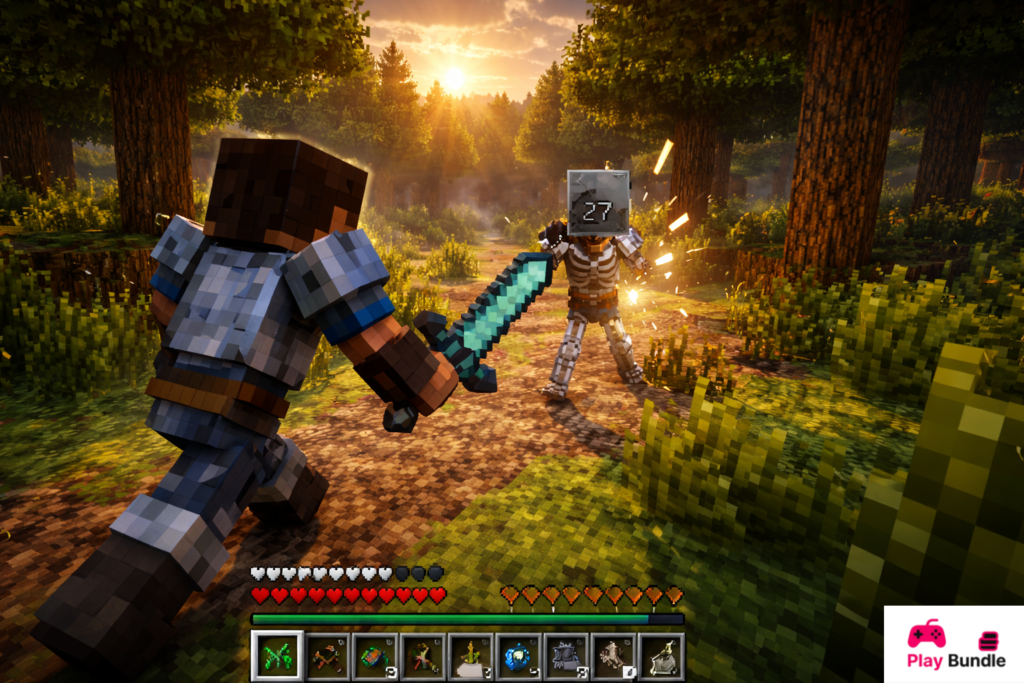
The game is known for its “survival mode,” where players must gather resources to build shelters and survive against hostile creatures such as zombies, skeletons, and spiders. Additionally, there’s a “creative mode” where players can enjoy unlimited resources to create without the constraints of survival elements.
In the latest version, Minecraft 1.19, players can explore new biomes, encounter new mobs, and interact with the Wild Update features. The inclusion of new blocks, new advancements, and enhanced world generation brings a fresh level of excitement to the game. With its multiplayer features, Minecraft also allows players to collaborate on large-scale builds or compete in survival challenges together.
How to Install
Here are simple instructions for installing Minecraft on various platforms:
On PC (Windows or Mac):
- Go to the official Minecraft website at minecraft.net.
- Click on the “Get Minecraft” button.
- Select your platform (Windows or macOS).
- Purchase the game (if you haven’t already) and download the installer.
- Run the installer and follow the on-screen instructions.
- Once installed, open the Minecraft Launcher, log in, and start playing.
On Xbox:
- Go to the Xbox Store on your console.
- Search for “Minecraft” and select the game.
- Follow the prompts to purchase and install the game.
- Once installed, open the game and start playing.
On PlayStation:
- Visit the PlayStation Store.
- Search for “Minecraft.”
- Purchase and install the game.
- Once installed, launch the game from your library.
On Mobile (Android/iOS):
- Visit the Google Play Store or Apple App Store.
- Search for “Minecraft.”
- Purchase and download the game.
- Once installed, open the game and enjoy!
System Requirements
Minimum System Requirements
| Component | Details |
| Operating System | Windows 10 or macOS 10.9+ |
| Processor | Intel Core i3 or AMD A8 3.0 GHz |
| Memory | 4 GB RAM |
| Graphics | Intel HD Graphics 4000 or equivalent |
| Storage | 4 GB of available storage |
Recommended System Requirements
| Component | Details |
| Operating System | Windows 10 or macOS 10.9+ |
| Processor | Intel Core i5 or AMD Ryzen 5 3.0 GHz |
| Memory | 8 GB RAM |
| Graphics | NVIDIA GeForce GTX 1650 or equivalent |
| Storage | 4 GB of available storage |
Key Features
Minecraft offers a plethora of features that make it stand out in the gaming world:
1. Gameplay Mechanics
- Blocky World: The game world is made up of blocks that can be mined, crafted, and used to build structures, create tools, or brew potions.
- Exploration: Players can explore endless procedurally generated worlds filled with diverse biomes, caves, and villages.
- Crafting: Craft weapons, tools, and even complex machines to enhance your gameplay.
2. Storytelling Elements
- Survival Mode: Fight to survive in a hostile world, where you must manage hunger, health, and resources while battling mobs.
- Adventure Mode: Explore the world and complete custom challenges set by other players in user-generated worlds.
3. Unique Selling Points
- Multiplayer Mode: Connect with friends or join global servers to play together in creative or survival modes.
- Modding Community: The community frequently creates mods that add new content and experiences, from new mobs to custom game mechanics.
Pros and Cons
Pros:
- Endless Creativity: There are no limits to what you can build or achieve, making every playthrough unique.
- Multiplayer Support: Enjoy playing with friends or strangers on various servers.
- Regular Updates: The game constantly evolves with new features, biomes, and mechanics.
- Cross-Platform Play: Minecraft allows players to join together across different platforms.
Cons:
- Graphics: The blocky graphics may not appeal to players used to more realistic visuals.
- Performance Issues: On lower-end systems, the game can lag or crash during intense gameplay.
- Can Be Repetitive: For some, the lack of defined goals can make the game feel repetitive after a while.
FAQs
1. Is it available on all platforms?
Yes, it is available on PC, consoles like Xbox and PlayStation, and mobile devices.
2. Can I play it offline?
Yes, you can play the game in single-player mode without an internet connection.
3. How do I get the latest updates for Minecraft?
Minecraft updates are automatically installed when you launch the game, as long as your device is connected to the internet.
4. Is there a way to play with friends?
Yes, you can play multiplayer on local servers or join online Minecraft servers to play with friends.
5. Are there any additional costs after purchasing the game?
While the base game is a one-time purchase, some additional features like skins or texture packs may require separate purchases.
Conclusion
Minecraft continues to captivate the gaming community with its boundless creativity, engaging gameplay, and frequent updates. Whether you’re crafting complex buildings, exploring new worlds, or surviving against mobs, the game offers endless fun. The latest version, Minecraft 1.19 (The Wild Update), brings even more exciting features and improvements to an already fantastic game.
If you haven’t experienced the world of Minecraft yet, now is the perfect time to download and start your journey. Prepare for a world of adventure, creativity, and fun.

1 comment
[…] characters, intense battles, and a rich storyline. The latest version adds new features and enhances gameplay, making it more enjoyable for players of all skill levels. With a vast roster of characters and […]