
In the ever-evolving world of live video streaming, efficiency, reliability, and speed are the key factors that determine a successful broadcast. SRT Mini Server 2.1 is a lightweight, yet powerful solution designed to handle secure and low-latency streaming with ease. Whether you are a content creator, IT professional, or broadcaster, this software provides an efficient way to deliver high-quality streams without the hassles of traditional servers.
The rise of remote production and live streaming has increased the need for robust server solutions. Many streaming enthusiasts struggle with unstable connections, buffering, or data loss during transmission. SRT Mini Server aims to address these challenges by leveraging the SRT (Secure Reliable Transport) protocol, ensuring that video and audio reach their destination smoothly, even over unreliable networks.
What sets this software apart is its simplicity and versatility. Unlike bulky enterprise servers, it is designed for both personal and professional use. It supports multiple concurrent streams, seamless integration with other software, and flexible configuration options, making it suitable for a wide range of streaming setups.
Moreover, the lightweight design ensures that you don’t need a high-end machine to run it efficiently. Its intuitive interface allows both beginners and experienced users to set up and manage live streams without requiring deep technical knowledge. In this article, we will explore all essential aspects of this software, including installation, system requirements, features, pros and cons, and FAQs.
What is SRT Mini Server?
SRT Mini Server is a lightweight streaming server software that uses the SRT (Secure Reliable Transport) protocol to deliver low-latency, secure, and reliable live video and audio streams. It is designed for small-scale streaming setups, including personal projects, corporate streaming, and remote production workflows. By handling packet loss, jitter, and network fluctuations efficiently, it ensures a smooth streaming experience even over challenging networks.
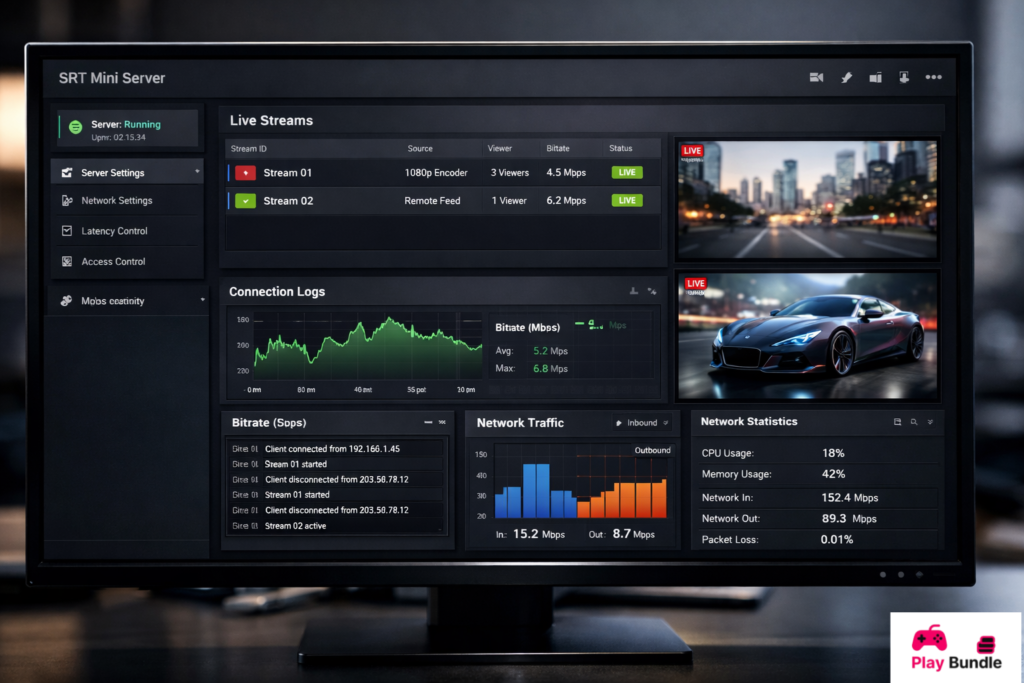
How to Install ?
Installing SRT Mini Server 2.1 is straightforward:
- Download the installer from the official website.
- Run the setup file and follow the on-screen instructions.
- Choose the installation directory or leave the default path.
- Select the components you want to install (main server, web dashboard, etc.).
- Complete the installation and restart your system if required.
- Launch the software and configure your streaming settings.
Software Details
| Detail | Information |
| Software Name | SRT Mini Server |
| Version | 2.1 |
| Type | Streaming Server Software |
| Platform | Windows, Linux |
| Release Date | 2025 |
| License | Free / Open Source |
| Developer | Haivision |
System Requirements
| Requirement | Minimum | Recommended |
| OS | Windows 10 / Linux Ubuntu 20.04 | Windows 11 / Linux Ubuntu 22.04 |
| CPU | Intel Core i3 or equivalent | Intel Core i5 or better |
| RAM | 4 GB | 8 GB |
| Storage | 500 MB | 1 GB |
| Network | 5 Mbps internet | 20 Mbps or higher |
| GPU | Integrated | Optional dedicated GPU |
Features
- Low-Latency Streaming: Provides minimal delay in live broadcasts, ideal for interactive content.
- Secure Transport: Uses encryption to ensure your streams remain protected from unauthorized access.
- Cross-Platform Compatibility: Works on both Windows and Linux systems.
- Multiple Streams Support: Handle several streams simultaneously without performance issues.
- Easy Configuration: Intuitive interface for quick setup and management.
- Network Resilience: Handles jitter, packet loss, and fluctuating bandwidth effectively.
- Integration Friendly: Compatible with OBS, VLC, and other popular streaming tools.
Pros and Cons
Pros:
- Lightweight and efficient, suitable for small servers
- Supports secure and low-latency streaming
- Cross-platform availability
- Handles network fluctuations well
- Simple setup and management
Cons:
- Limited advanced features for large-scale enterprise setups
- No built-in video editing tools
- May require additional tools for professional production workflows
FAQs
How many streams can SRT Mini Server handle simultaneously?
The software can manage multiple concurrent streams, depending on your system resources. Most mid-range computers can comfortably handle 5–10 streams.
Can SRT Mini Server work with OBS Studio?
Yes, it integrates seamlessly with OBS Studio and other streaming software that supports SRT or RTMP protocols.
Is SRT Mini Server free to use?
Yes, the basic version is free, with open-source options available for developers to customize.
Does it support Linux systems?
Absolutely. SRT Mini Server works on both Windows and Linux platforms.
How secure is the streaming process?
The software uses the SRT protocol, which includes encryption and error correction, making your streams secure and reliable.
Conclusion
SRT Mini Server 2.1 is an ideal solution for anyone looking to achieve low-latency, secure, and high-quality live streaming without investing in complex or expensive server solutions. Its lightweight design, ease of use, and network resilience make it perfect for both beginners and professionals. Whether you’re streaming a small event, running a remote production, or broadcasting online content, this software ensures smooth performance and reliable delivery. If you want a streaming solution that is simple yet powerful, SRT Mini Server 2.1 is worth considering.
