
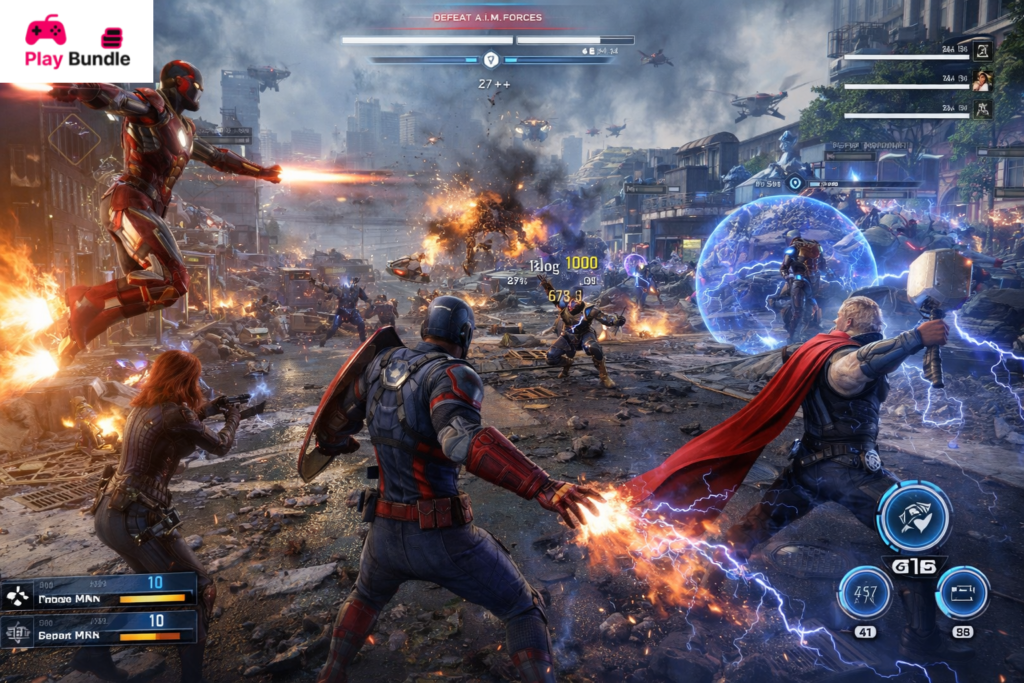
Marvel’s Avengers is an action-packed, thrilling game where you take control of your favorite superheroes and embark on an epic journey to save the world. Released as a part of the Marvel Universe, this game offers players the chance to step into the shoes of iconic characters like Iron Man, Captain America, Thor, Hulk, Black Widow, and Kamala Khan. Developed by Crystal Dynamics and published by Square Enix, it is a perfect blend of intense combat, engaging storytelling, and team-based strategy. This article will delve into the details of the game, including its installation process, system requirements, key features, pros and cons, FAQs, and more.
What is Marvel’s Avengers?
Marvel’s Avengers is a third-person action game where players can control various members of the Avengers team. The story revolves around the Avengers reuniting after a disastrous incident where they are blamed for a catastrophic event. Players experience different perspectives through each superhero, solving challenges, defeating enemies, and uncovering secrets. The game features both single-player and multiplayer modes, allowing fans to either enjoy a solo adventure or team up with friends for some heroic gameplay. With a range of iconic superheroes and a vast open world, it gives players the ultimate Marvel experience.
Game Details
| Game Name | Marvel’s Avengers |
| Developer | Crystal Dynamics |
| Publisher | Square Enix |
| Release Date | September 4, 2020 |
| Platforms | PlayStation, Xbox, PC, Stadia |
| Genre | Action-Adventure, RPG |
| Mode | Single-player, Multiplayer |
| Game Engine | Unreal Engine 4 |
How to Install
Installing this game is a straight forward process. Below are the steps for installing the game on your respective platforms.
- PlayStation: Visit the PlayStation Store, search for Marvel’s Avengers, and select the “Download” button. After the download is complete, the game will automatically install.
- Xbox: Go to the Microsoft Store, search for this game, and click on “Install.” Once installed, launch the game from your dashboard.
- PC (Steam): Open Steam, search for it, and click “Add to Cart.” After purchase, click on “Install” to begin downloading.
- PC (Epic Games Store): Open the Epic Games Store, search for it, and click “Install” after purchasing the game.
System Requirements
Below are the system requirements for playing this game on your PC:
| Category | Minimum | Recommended |
| OS | Windows 10 64-bit | Windows 10 64-bit |
| Processor | Intel Core i3-4160 / AMD A8-7600 | Intel Core i5-1050 / AMD Ryzen 5 1600 |
| Memory | 8GB RAM | 16GB RAM |
| Graphics | NVIDIA GTX 950 / AMD 270X | NVIDIA GTX 1060 / AMD RX 580 |
| Storage | 75GB Available Space | 75GB Available Space |
| DirectX | Version 12 | Version 12 |
Key Features
Multiple Playable Heroes: Players can take control of the most iconic Marvel heroes, including Iron Man, Thor, Hulk, Captain America, Black Widow, and Kamala Khan.
Heroic Abilities: Each hero has unique skills and abilities that add diversity to combat and provide a sense of depth to each character.
Story-driven Campaign: The game features a captivating storyline where players work through different missions and quests to defeat powerful enemies.
Multiplayer Mode: Team up with friends to form your Avengers squad and battle against hordes of enemies.
Frequent Updates: The game regularly introduces new heroes, skins, and missions to keep players engaged.
Pros and Cons
Pros:
- Exciting combat mechanics with diverse heroes.
- Engaging story that stays true to the Marvel Universe.
- Multiplayer mode for a fun team experience.
- Regular content updates to enhance the gaming experience.
Cons:
- Repetitive missions in some parts of the game.
- Micromanagement of gear can feel overwhelming at times.
- Some players have reported occasional bugs and technical glitches.
FAQs
1. Is Avengers free to play?
No, this is a paid game, but it offers some free updates and content expansions after purchase.
2. Can I play Marvel’s Avengers solo?
Yes, it has a single-player mode where you can enjoy the story-driven campaign.
3. How can I unlock new heroes in this game ?
New heroes are unlocked through in-game missions, story progression, or downloadable content (DLC).
4. Is Marvel’s Avengers cross-platform?
Currently, it supports cross-play between some platforms, like PlayStation and Xbox.
5. How often does this get updates?
The game receives regular updates, including new content, events, and hero releases every few months.
Conclusion
Marvel’s Avengers offers a thrilling action-adventure experience, where fans of the Marvel Universe can step into the shoes of their favorite superheroes. With its rich story, iconic characters, and engaging combat, the game delivers a truly immersive experience. Whether you play solo or with friends, this is an exciting addition to the gaming world. If you’re looking for a fun, action-packed game that brings Marvel’s heroes to life, this is the game for you. Don’t wait – assemble your Avengers squad and dive into the action today!
